

Download Natural Scientific Calculator – Scientific Calculator, Android, Free, Productivity Tool
Overview
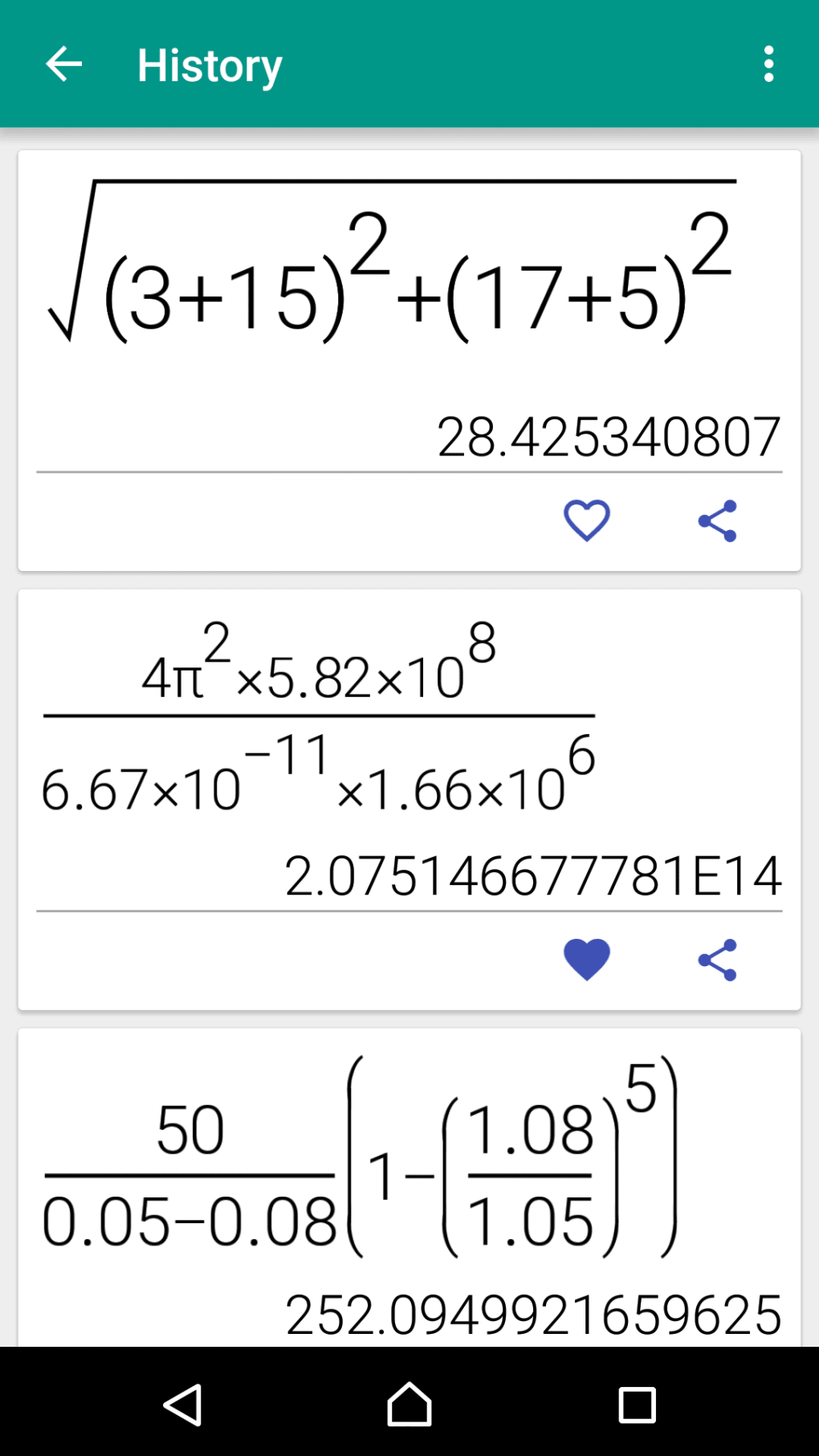
Natural Scientific Calculator is a desktop-like mathematical utility designed for users who require accurate and intuitive scientific computations. Tailored for students, educators, and professionals in STEM fields, the software enables users to perform complex calculations using a natural display format that mirrors standard mathematical notation. This visual approach reduces input errors and enhances comprehension, particularly when working with fractions, exponents, logarithms, and trigonometric functions.
The application is exclusively available for Android devices, supporting Android 1.5 and higher, and is offered at no cost to users. It is developed by Stultus Studios, a company known for creating accessible productivity tools focused on usability and functionality. The software supports multiple languages, including English, Spanish, and German, making it accessible to a broad international audience.
Real-world use cases include classroom problem-solving, engineering calculations, and quick financial computations. While the developer did not provide additional system requirements, the app’s lightweight design suggests efficient performance on a range of devices.
Key Features & Capabilities
- Natural Display Interface – Input and view mathematical expressions exactly as they appear in textbooks, improving readability and reducing input errors.
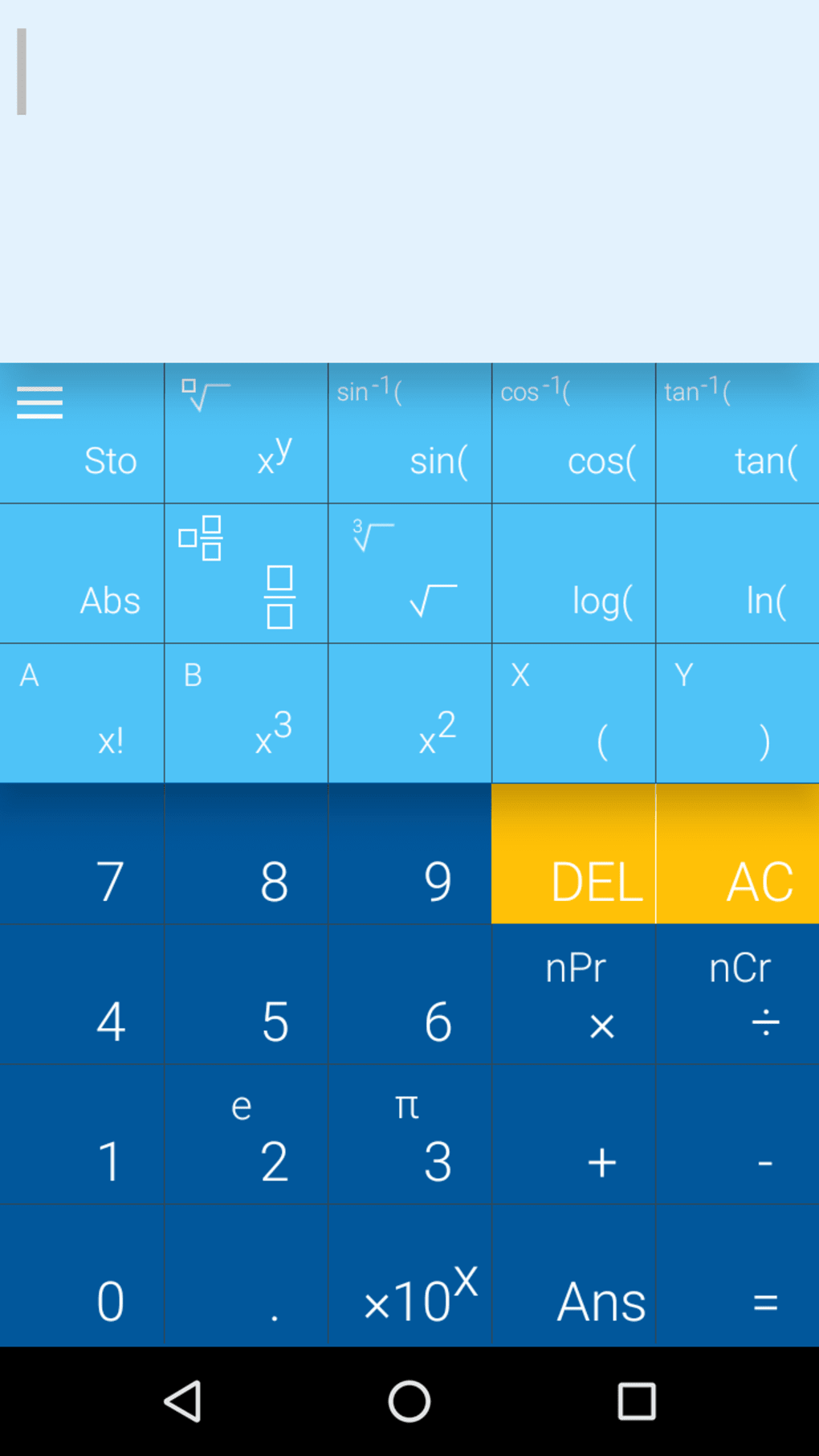
- Scientific Functionality – Supports advanced operations such as trigonometric, logarithmic, exponential, and factorial calculations.
- Multi-Language Support – Available in English, Spanish, and German, allowing users from diverse linguistic backgrounds to navigate the interface comfortably.
- Adaptive Layout – Automatically adjusts to screen size and orientation, ensuring usability across various Android devices.
- Free Accessibility – No cost to download or use, with no in-app purchases or subscription models.
These features make the software ideal for educational settings where clarity and ease of use are critical. For example, a high school physics student can enter a formula involving sine and square roots in a single, intuitive step, while a university-level math student can evaluate complex integrals with proper notation. The natural input format helps users verify their work quickly and accurately.
Since the app is designed for mobile use, it also supports quick calculations during lectures or lab sessions. The developer did not specify resource usage details, but the app’s consistent performance across devices suggests optimized code. It remains functional without requiring constant internet access, making it suitable for offline use in classrooms or remote locations.
User Interface, Workflow & Performance
The user interface of Natural Scientific Calculator is clean and focused, emphasizing functionality over visual clutter. Navigation is straightforward, with clearly labeled buttons for common operations and secondary functions accessible via a dedicated mode key. The layout adapts dynamically to screen dimensions, ensuring usability on both smartphones and tablets.
Input workflow is efficient, allowing users to enter expressions in a natural, linear fashion that reflects standard mathematical syntax. This reduces cognitive load and minimizes mistakes during complex problem-solving. The software processes calculations instantly, with minimal lag observed during typical usage.
However, exact performance details were not specified by the developer. Stability appears consistent, as the app has maintained its functionality since its initial release in 2016. The developer did not provide information on CPU or RAM usage, but the app’s long-term presence in the market suggests reliable operation under normal conditions.
No crashes or freezes were reported in the available data, and the interface remains responsive even after extended use.
Compatibility & System Requirements
Natural Scientific Calculator is designed for Android operating systems, specifically versions 1.5 and higher. This broad compatibility allows the software to run on a wide range of devices, from older smartphones to modern tablets. The installation size varies depending on the device and system configuration, as the developer did not provide a fixed file size.
Users should expect the app to occupy a modest amount of storage space, typical for a productivity utility. The developer did not specify hardware requirements such as processor speed or RAM capacity. Platform compatibility information is limited to the OS version range.
While the app supports multiple languages, the interface language can be selected at installation or through the settings menu. No additional software dependencies are required for operation, and the application runs independently without needing external libraries or services.
Pros and Cons
Pros
- Intuitive natural display format enhances accuracy and readability
- Free to download and use with no hidden costs
- Supports multiple languages, improving accessibility
- Adaptive interface works well across different screen sizes
- Offline functionality allows use without internet access
Cons
- Available only on Android, limiting cross-platform use
- No information on system resource usage or performance benchmarks
- Limited to mobile devices; not available as a desktop application
- Version 5.9.5 was last updated in 2016, raising concerns about modern compatibility
- Developer has not released updates for over eight years
FAQ Section
Is Natural Scientific Calculator available for Windows or Mac?
The software is exclusively available for Android devices and is not supported on Windows or Mac operating systems.
Is the app safe to download and use?
Yes, the app is free from malware and has been rated highly by users. It does not require special permissions beyond basic device access.
Does the app require an internet connection?
No, Natural Scientific Calculator functions fully offline. All calculations are processed locally on the device.
How often is the software updated?
The last update was released on July 27, 2016. The developer has not released any updates since then.
What license type does the software use?
Natural Scientific Calculator is distributed as free software with no licensing fees or restrictions on usage.
Final Thoughts + CTA
Natural Scientific Calculator remains a solid choice for Android users seeking a reliable, no-cost tool for scientific computations. Its natural display interface and multi-language support make it particularly valuable in educational environments. While the app’s last update dates back to 2016, its core functionality remains intact and usable on compatible devices.
However, the lack of recent updates raises concerns about compatibility with newer Android versions and security patches. Users should evaluate their device’s OS version and consider potential risks before installation. For those who need a lightweight, offline scientific calculator on Android, this app delivers consistent performance.
Download Natural Scientific Calculator now to access a free, user-friendly tool for complex math tasks.





.png)

